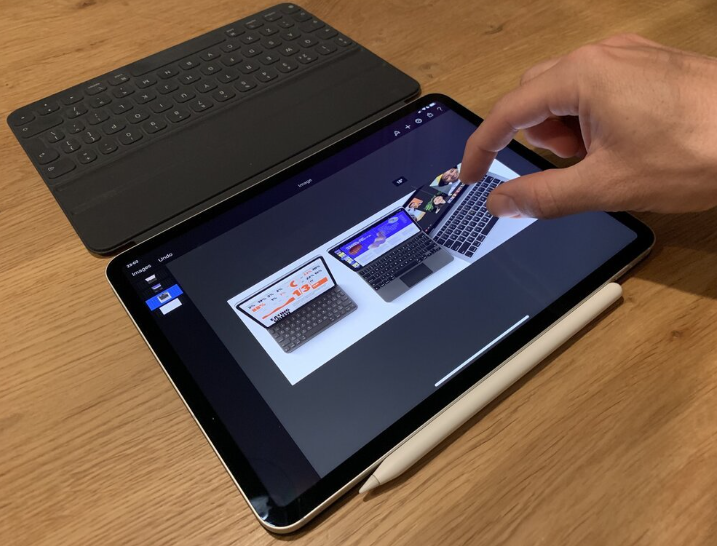
The iPad has evolved from a simple entertainment device to a powerful tool for work, creativity, education, travel, and personal productivity. With features like multitasking, note-taking, document editing, drawing, and video conferencing, the iPad can replace a laptop for many users. To unlock its full potential, however, the right accessories make a big difference. Among these, the rotating iPad keyboard has become one of the most transformative upgrades for anyone who wants to improve their workflow.
A rotating keyboard attaches to the iPad and allows the screen to turn a full 360 degrees. This flexibility lets users switch between typing, drawing, presenting, browsing, and watching content without removing the device from the case. Whether you are a professional, student, traveler, or casual user, this type of keyboard can dramatically enhance both comfort and productivity.
Why a Rotating iPad Keyboard Improves Productivity
Smooth switching between tasks
Workflows often require multiple modes. You might type an email, then switch to reading or sketching, and later make a video call. A rotating iPad keyboard lets you rotate the screen to match the task. Instead of constantly detaching your iPad from the keyboard, the hinge gives you quick access to different positions.
Better typing experience
While touchscreens are convenient, extended typing on glass can be uncomfortable. A physical keyboard delivers accuracy and speed that touchscreen typing cannot match. Many rotating keyboards include shortcuts for adjusting volume, brightness, and switching apps, which saves time and reduces taps on the screen.
Ergonomic advantages
The angle of the screen plays a big role in comfort. With a rotating keyboard, you can tilt and turn the screen until it matches your viewing preference. This helps reduce neck strain and improves posture during long working sessions.
Suitable for multiple modes
A major benefit of a rotating iPad keyboard is its ability to switch to multiple usage styles, such as:
- Laptop mode for typing and productivity
- Tablet mode for reading and drawing
- Tent mode for presenting and watching content
- Stand mode for video calls and entertainment
This flexibility allows the iPad to adapt to any environment, from coffee shops to classrooms to airplanes.
See also: How Technology Is Revolutionizing Education
Who Benefits Most From a Rotating iPad Keyboard
A rotating keyboard adapts to many types of users.
Students
Students who take notes, complete assignments, and attend online classes need speed and convenience. A rotating keyboard makes it easy to type essays, view textbooks, and switch to touchscreen mode when needed.
Professionals
Remote workers, business travelers, and office users gain a laptop-like setup with a lightweight structure. The rotating hinge makes presentations, Zoom calls, and document editing much smoother.
Creatives
Artists and designers can rotate the screen flat for drawing and lift it back up for typing. This hybrid setup supports both creativity and work without removing the case.
Travelers
A rotating iPad keyboard eliminates the need to carry a separate laptop, stand, and case. It keeps everything compact without sacrificing productivity on the go.
Key Features to Look For in a Rotating iPad Keyboard
If you are planning to upgrade, consider the features that matter most.
1. Strong hinge support
The hinge should rotate smoothly while holding the screen securely. A low-quality hinge can wobble or wear out quickly.
2. Comfortable keyboard layout
Look for spaced keys that feel comfortable during long typing sessions. Backlit keys are a plus for working in dim environments.
3. Case durability
The keyboard case should protect the iPad from scratches and minor impacts. Non-slip surfaces help keep the device steady on different surfaces.
4. Touchpad support
Many rotating keyboards now include a built-in touchpad. This enhances desktop-style control and reduces finger tapping on the screen.
5. Battery life
Bluetooth keyboards should have long battery life. Some can run for weeks before needing a recharge.
6. Compatibility
Make sure the keyboard model is made for your specific iPad size and generation.
How a Rotating Keyboard Changes Everyday Use
A better typing workstation
Combining an iPad with a rotating keyboard makes note taking, journaling, emailing, and writing faster and more intuitive.
Improved multitasking
The adjustable angle helps you use split-screen mode comfortably, making it easier to research, write, or manage multiple apps.
Convenient entertainment
Tilt the iPad into stand mode to watch movies, follow cooking tutorials, or video chat hands free.
Enhances professional presentations
The tent position makes it ideal for sharing slides or visual demonstrations during meetings or classes.
Boosts productivity anywhere
Whether at an airport, café, office, or couch, your iPad adapts instantly to the environment.
Final Thoughts
The iPad is an incredibly versatile device, and pairing it with a rotating iPad keyboard unlocks even more potential. The ability to switch from laptop-style typing to tablet-style use without removing the device brings convenience and efficiency to everyday tasks. It supports better organization, flexible viewing angles, and faster workflows for both work and leisure.
If you want to make the most out of your iPad for productivity, creativity, and mobility, upgrading to a rotating keyboard is one of the smartest investments. With the right keyboard, your iPad becomes not just a tablet but a complete workstation that adapts to your needs at any moment.