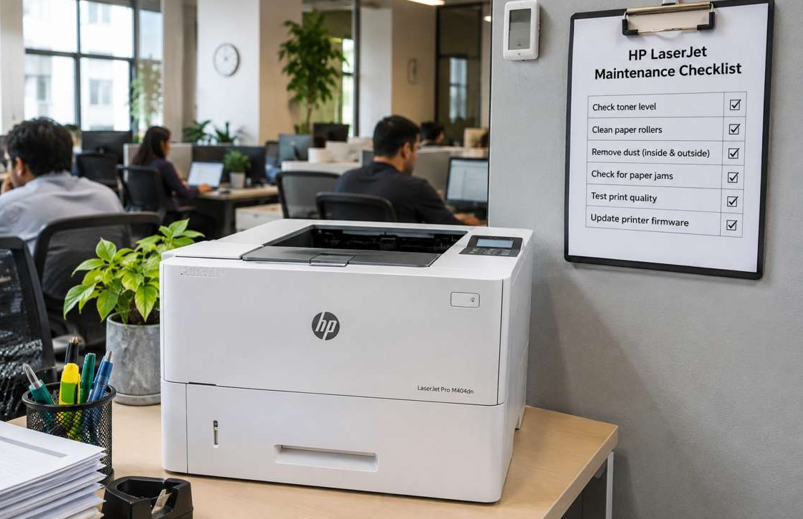
In a busy office, the printer is the thing nobody thinks about. Until it jams during a client meeting. Or prints streaks on the contract everyone needs signed in ten minutes.
Here’s the good news. Most printer breakdowns don’t come out of nowhere. They build up slowly from dust, worn parts and small things nobody noticed. A few minutes of care each week can prevent most of it. This checklist is built for busy teams. Short tasks, clear schedule, no technical skills needed.
Why Maintenance Matters for a LaserJet
A LaserJet is tough. But it’s still a machine with rollers, a drum, a fuser and a lot of moving paper. Dust and paper debris collect inside. Parts wear down. Toner gets old.
Skip the care and you’ll see it. More jams. Fainter prints. Strange noises. Higher bills. Do a little regularly and the printer lasts longer, prints better and costs less.
Daily Habits (Takes 1 Minute)
These are quick enough to do without thinking.
- Check the paper tray. Keep it below the fill line. Overfilled trays cause jams.
- Look at the display. Notice warnings early, like “Toner Low” or “Paper Jam.”
- Pick up stray paper. Remove scraps, staples and paper clips near the printer.
- Don’t force anything. If a cover or tray resists, stop and check.
Nothing fancy. It just catches problems early.
Weekly Checks (Takes 5 Minutes)
Pick a day, like Monday morning, and make it routine.
- Print a test page. Look for lines, faded areas or smudges.
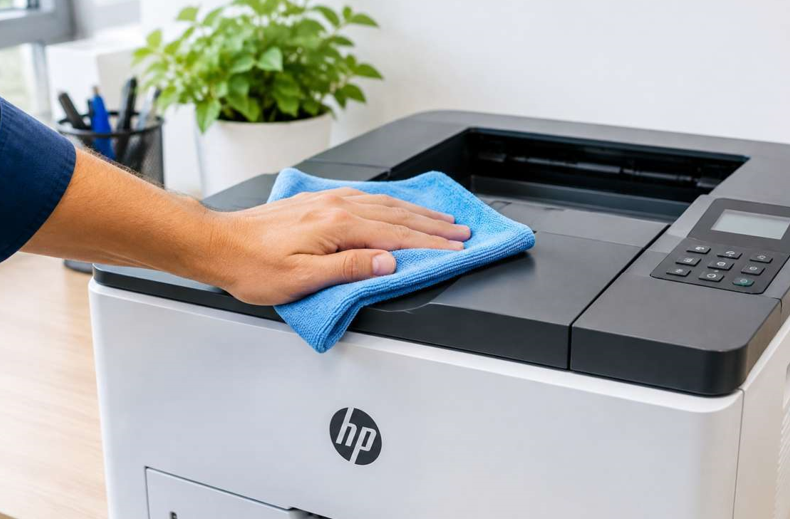
- Wipe the outside. Use a dry, lint-free cloth to remove dust.
- Check toner levels. Order a spare when you see the first warning.
- Fan the paper. Riffle the stack before loading to stop sheets sticking together.
- Empty the output tray. Don’t let pages pile up and slide around.
When you restock, match the cartridge to your exact model. Quality HP laser toner in Dubai from a supplier who lists your model clearly saves you from fit errors and wasted time. Keep one spare on the shelf, stored sealed in a cool, dry spot. Not five. One.
Monthly Checks (Takes 15 Minutes)
Once a month, go a little deeper. Switch off and unplug the printer first. If it was just in use, wait for it to cool. The fuser gets very hot.
- Clean the paper path. Wipe visible dust and paper bits with a dry, lint-free cloth.
- Check the rollers. Look for shiny, smooth or cracked surfaces. Worn rollers cause jams.
- Inspect the cartridge area. Look for loose toner, scraps or damage.
- Clean the trays. Remove crumbs and dust from the paper trays.
- Check the cables. Make sure power and network cables fit snugly.
Never use water or sprays inside the printer. And don’t touch the drum surface with your fingers.
Every Three Months
- Update drivers and firmware. Updates fix bugs and improve connection stability.
- Run the printer’s cleaning function. Check your manual for the steps on your model.
- Review your usage. Print a configuration or usage page. Look at page counts.
- Check the surroundings. Is the printer away from direct sun, heaters and damp walls?
See also: How tech keeps airports, borders, and events safe and secure
Once a Year
A yearly check-up is worth it for busy offices. This is a good time to have a professional look at your machine. A laser printer maintenance and repair service in Dubai can clean internal parts, check rollers and the fuser, and replace anything that’s close to failing. It’s much cheaper than an emergency breakdown. And it keeps downtime short.
If your office relies on one printer, this is the habit that pays off most.
Warning Signs to Never Ignore
Even with good care, things wear out. Watch for these:
- Paper jams that keep coming back
- Lines or marks repeating down the page
- Faded prints even with fresh toner
- Grinding, clicking or squealing noises
- A burning smell
- Error messages that won’t clear
Catch these early and repairs are usually small. Wait too long and they grow.
Simple Office Rules That Help
A checklist only works if people follow it. Try these:
- Name one person. Someone owns the printer care.
- Post the checklist. Stick it on the wall near the printer.
- Report problems fast. No hero fixes. Tell the owner.
- Use decent paper. Cheap or damp paper makes more dust and jams.
- Keep it clean. No drinks or snacks next to the printer.
Share them in one short, friendly message. Not a policy memo.
Mistakes to Avoid
- Waiting until something breaks
- Using water or sprays inside the printer
- Touching the drum or fuser
- Pulling stuck paper out fast
- Ignoring early warning messages
- Opening the printer without training
When Should You Get Extra Help?
Ask a technician if:
- The same problem returns after you’ve cleaned and reset
- Prints stay poor with new toner
- You hear unusual noises
- The printer shuts down or restarts on its own
- You’re not sure what’s wrong
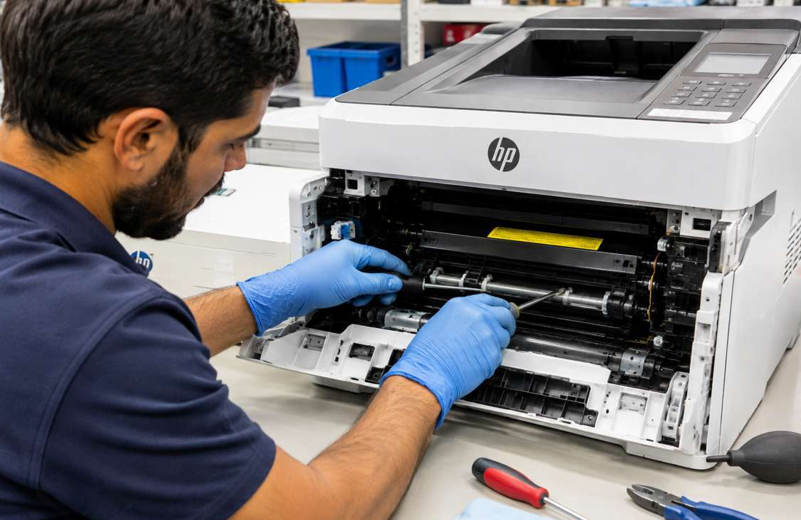
Please don’t take the printer apart yourself. The fuser is hot, and small parts break easily.
Final Thoughts
A busy office doesn’t need a complicated plan. It needs a short one that people actually follow. A minute a day. Five minutes a week. Fifteen minutes a month. A yearly check-up from a professional. Do that, and your HP LaserJet will print cleanly, jam less and last longer. And the day it matters most, it’ll just work.
