WP 301 Redirects is a WordPress redirect management plugin that helps site owners send old URLs to the right new pages, fix 404 errors, and protect search traffic after content changes. When a page moves, Google recommends using server-side redirects for permanent URL changes. Without a clean redirect plan, visitors hit dead pages, search engines waste crawl time, and rankings can slip for no good reason.
TLDR: WP 301 Redirects helps WordPress administrators create and manage 301 redirects without editing server files. For example, if a store changes /summer-sale to /clearance, the plugin can send every old visitor to the new page automatically. A site with 500 monthly visits to outdated links could recover most of that traffic instead of sending users to a 404 page. It is most useful after redesigns, permalink changes, deleted posts, migrations, and messy content cleanups.
What Is WP 301 Redirects?
WP 301 Redirects is a WordPress plugin built to manage redirects from inside the WordPress dashboard. Its main job is simple: when someone visits an old or broken URL, the plugin points that person to the correct page.
A redirect is like forwarding mail after moving to a new address. The visitor types or clicks the old URL, but the site sends them somewhere else. A 301 redirect tells browsers and search engines that the move is permanent.
This matters because WordPress sites change all the time. Posts get renamed. Categories are removed. Product URLs change. Old campaign pages disappear. Honestly, it feels like one small slug edit can create ten annoying cleanup tasks. WP 301 Redirects reduces that pain by keeping redirect rules in one place.
Why Redirect Management Matters
Broken links hurt both users and search performance. A visitor who lands on a 404 page may leave immediately. A search engine crawler may also spend time checking dead URLs instead of finding useful pages.
Redirects help with:
- Preserving SEO value from older URLs.
- Improving user experience by removing dead ends.
- Cleaning up site structure after redesigns or migrations.
- Tracking 404 errors that would otherwise stay hidden.
- Fixing backlinks pointing to outdated pages.
The catch is that redirects can become messy fast. A small blog may only need five rules. A store with hundreds of deleted products may need hundreds. Managing that by hand in an .htaccess file can get risky, especially for non-technical site owners.
How WP 301 Redirects Works
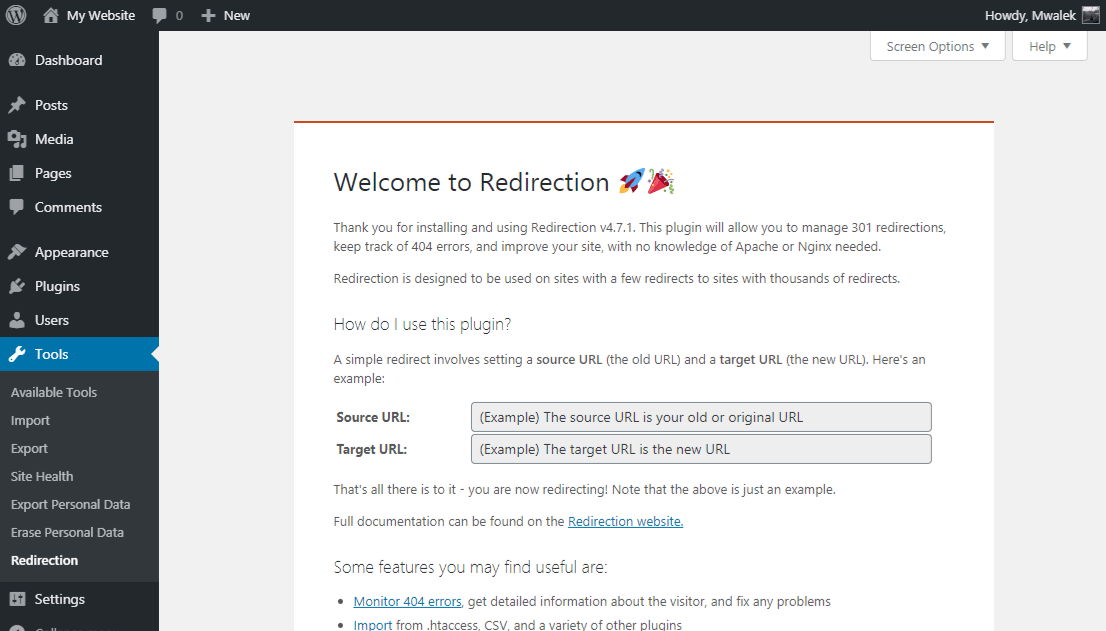
WP 301 Redirects lets an administrator create rules that connect an old URL to a new one. The rule usually includes two fields: the source URL and the target URL.
For example:
- Old URL: /old-services-page
- New URL: /services
When a visitor opens the old page, the plugin sends that visitor to the new page. Search engines also receive a signal that the page has moved permanently.
Many redirect tools also include 404 monitoring. That means the plugin can record URLs that visitors tried to open but could not find. This is useful because some broken links are not obvious. They may come from old social posts, external websites, newsletters, or bookmarks.
Main Features Site Owners Should Expect
WP 301 Redirects is usually chosen because it brings redirect work into a friendlier interface. Common features include:
- Manual 301 redirects: Create rules for moved pages, posts, products, and categories.
- 404 error tracking: See which broken URLs are being requested.
- Redirect charts or logs: Check which rules are used most often.
- Bulk redirect options: Handle multiple URL changes faster.
- Wildcard or pattern redirects: Redirect groups of similar URLs when supported.
- Link cleanup support: Find redirect issues before they grow.
Not every site needs every feature. A local business site may only need a few permanent redirects. A magazine, membership site, or WooCommerce store may need logs, bulk actions, and regular checks.
Common Reasons to Use WP 301 Redirects
1. Changing permalink structure
If a WordPress site switches from date-based URLs to shorter post-name URLs, many old links can break. Redirects send those old addresses to the new format.
2. Deleting outdated content
Sometimes a page no longer deserves to exist. A redirect can send visitors to a newer guide, a related product, or a category page.
3. Moving from one domain to another
During a domain change, redirects are critical. Every important old URL should point to the closest matching page on the new domain.
4. Redesigning a website
Redesigns often change menus, slugs, and page hierarchy. Expect to waste time on missed URLs if no redirect list is prepared before launch.
5. Fixing external backlinks
Other websites may still link to old pages. A 301 redirect helps those visitors reach useful content instead of an error page.
301 vs 302 Redirects
A 301 redirect is for a permanent move. It tells search engines that the old URL should be replaced by the new one.
A 302 redirect is for a temporary move. It is better for short campaigns, testing, or pages that will return soon.
For most WordPress cleanup tasks, a 301 redirect is the right choice. If a post was renamed, a service page was replaced, or a product URL changed for good, 301 is the safer option.
Best Practices for WordPress Redirect Management
Redirects are helpful, but poor redirect habits can slow a site and confuse search engines. A site owner should keep rules clean and logical.
- Redirect to the closest matching page. An old page about pricing should not always go to the homepage.
- Avoid redirect chains. Old URL A should not go to B, then C, then D.
- Check 404 logs often. New broken links can appear after plugin updates, imports, or deleted content.
- Do not redirect every missing page to the homepage. That creates a poor experience.
- Test important redirects. A typo can send users to another 404 page.
- Remove stale rules. Redirect lists should be reviewed during major site audits.
Speed also matters. Too many messy rules can add overhead. On larger sites, redirect rules should be grouped, reviewed, and trimmed where possible.
Who Should Use WP 301 Redirects?
WP 301 Redirects is a good fit for site owners who need redirect control without touching code. It suits bloggers, agencies, affiliate site operators, WooCommerce stores, and small business websites.
It is also useful for teams that publish often. Editors can change titles and slugs without waiting for a developer to add server rules. That saves time and prevents small mistakes from turning into traffic loss.
Developers may still prefer server-level redirects for advanced projects. For many WordPress sites, though, a dashboard-based plugin is easier to manage and safer for daily use.
How to Start Using It
The basic process is simple:
- Install and activate the plugin from the WordPress dashboard.
- Open the redirect settings area.
- Add the old URL in the source field.
- Add the new destination URL.
- Save the rule.
- Test the old URL in a private browser window.
After setup, the administrator should check 404 logs. The most visited broken URLs should be fixed first. Pages with backlinks, sales value, or search traffic deserve priority.
FAQ
What does WP 301 Redirects do?
It helps WordPress site owners create and manage redirects. It sends old or broken URLs to correct pages and can help reduce 404 errors.
Is a 301 redirect good for SEO?
Yes, when used correctly. A 301 redirect tells search engines that a page has moved permanently and points them to the new URL.
Can WP 301 Redirects fix 404 errors?
It can help fix them by redirecting broken URLs to relevant working pages. It may also help identify which 404 URLs visitors are hitting.
Should every 404 page redirect to the homepage?
No. That usually creates a poor user experience. Each broken URL should point to the most relevant replacement page when possible.
Is WP 301 Redirects only for large sites?
No. Small sites can benefit too. Even one broken service page or product URL can cost leads, sales, or search traffic.
When should a site use a 302 redirect instead?
A 302 redirect should be used when the move is temporary. For permanent URL changes, a 301 redirect is usually the better choice.
